Visual GUI tour

Scantide Auditor Launcher, shown tab by tab.

The Scantide Auditor PowerShell Launcher gives Windows users a guided interface for internal LAN scanning, local discovery, Wi-Fi/radio checks, ServiceNow CMDB comparison, Local PC Check, helper tools and advanced maintenance actions.

v3.5.175 screenshots Local-only helper actions HTML reports

What the Launcher is for

The GUI is meant to make Scantide Auditor easier to run without memorizing long PowerShell commands. You can still copy or inspect generated commands, but normal workflows are handled through tabs and buttons.

Internal network scanning

Scan one network, a list of networks or focused port profiles. Add helper discovery when ping alone is not enough.

Local endpoint posture

Run Basic or Advanced checks on the local Windows computer, including installed-software CVE review and Local Watch scheduling.

CMDB comparison

Compare discovered systems against ServiceNow to spot inventory gaps and assets missing from CMDB.

Typical workflow

Start with a small quick scan, then add more modules only when needed. That keeps results understandable and runtime under control.

Choose scope

Enter a CIDR range, use the local network helper or load a text list.

Select profile

Use Standard LAN scan first, then try hypervisor, database or custom ports.

Add evidence

Enable local discovery, Wi-Fi/radio, CMDB or Local PC Check when relevant.

Review report

Open the generated HTML report, filter findings and export or anonymize before sharing.

Linked Scantide pages

Use this visual tour with the main Auditor pages

This page is intended to be linked from the Auditor PowerShell landing page, the full manual and the Local Device Check page. Those pages explain installation, command-line usage, Local Watch, CVE cache, false-positive exclusions and report examples.

GUI screenshots

Each screenshot below is taken from the current Scantide Auditor Launcher interface. Click a screenshot to enlarge it.

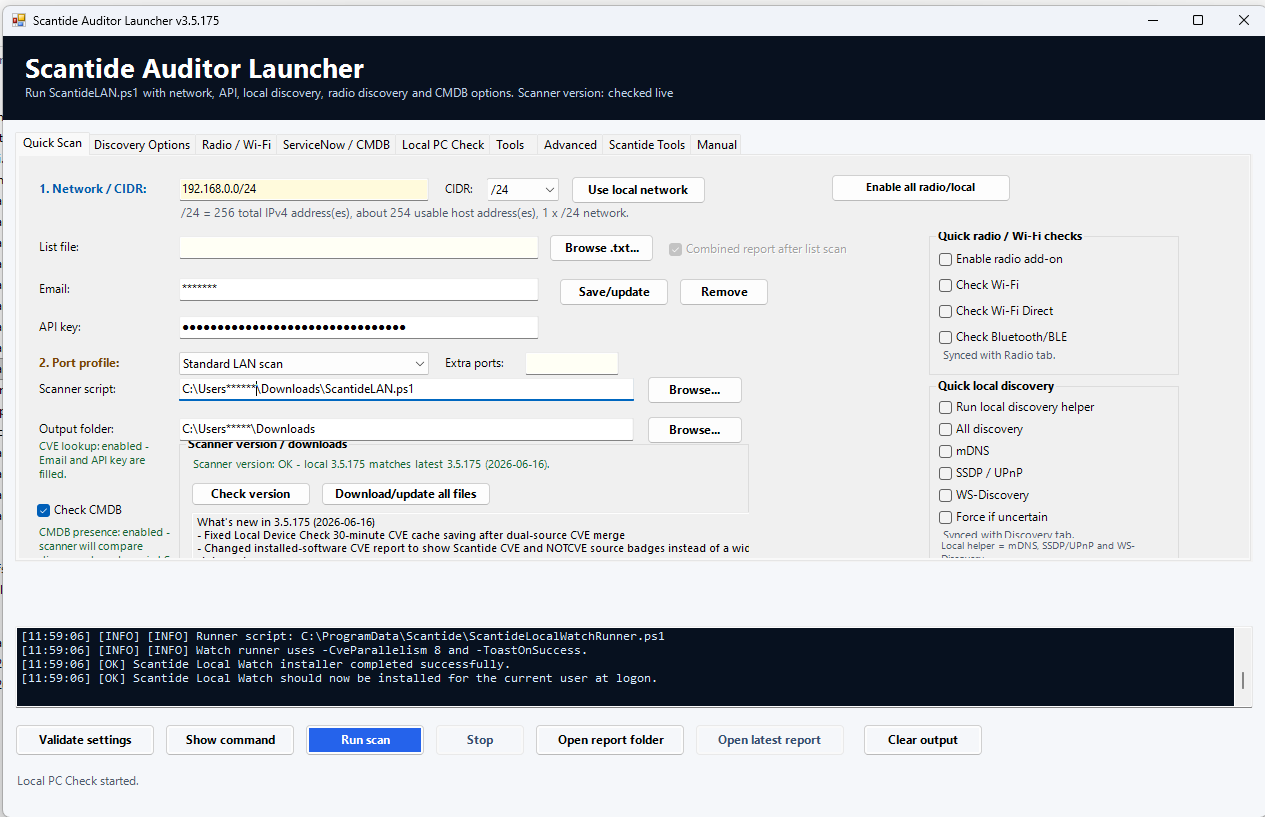
Quick Scan

The main start page for normal LAN scans. Pick a network, choose a port profile, enable CMDB comparison or quick radio/local checks, then run the scan.

  • Network/CIDR entry with local network helper
  • Standard, hypervisor and custom port profile support
  • Download/update all files and version feed status
  • Quick toggles for radio and local discovery
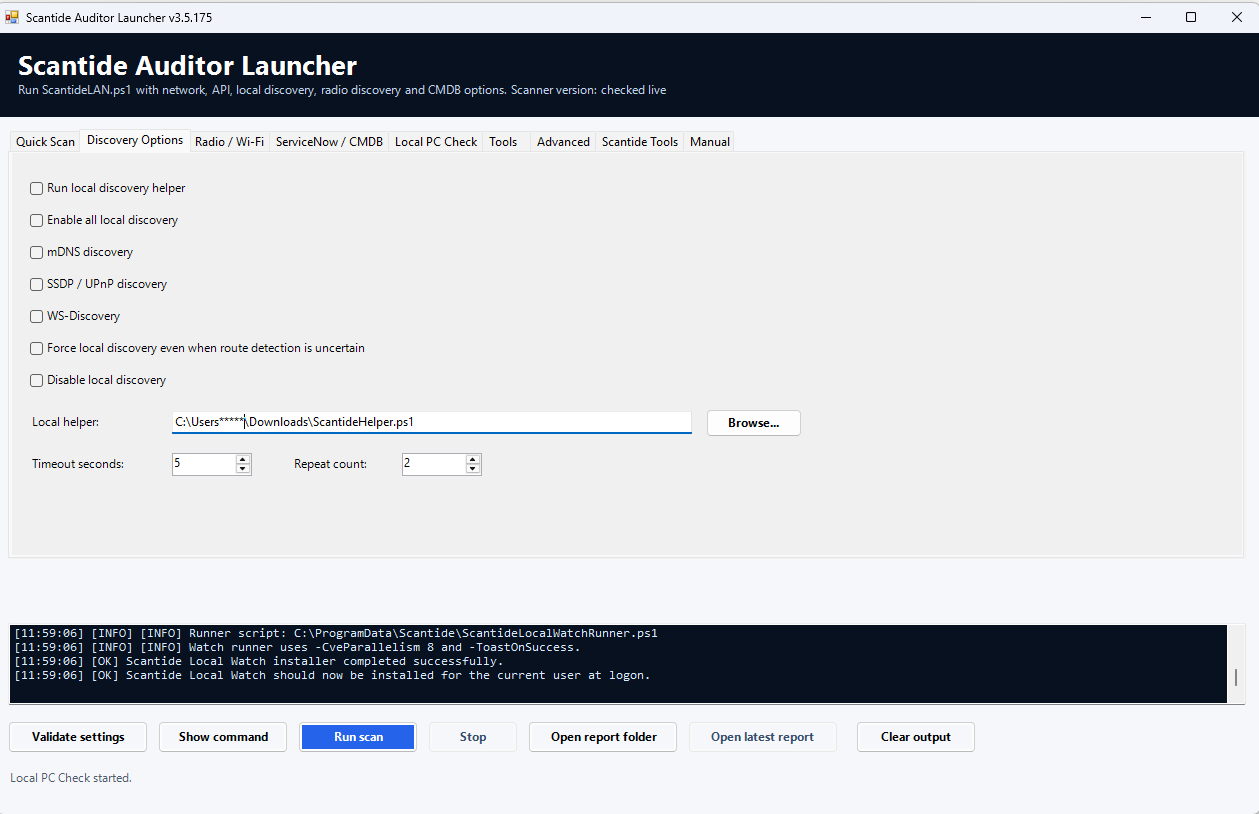
Discovery Options

Controls the LAN helper discovery layer used to find local devices that may not respond to normal ping or TCP probing.

  • mDNS, SSDP/UPnP and WS-Discovery
  • Force local discovery when routing detection is uncertain
  • Helper timeout and repeat count controls
  • Separate helper path for portability

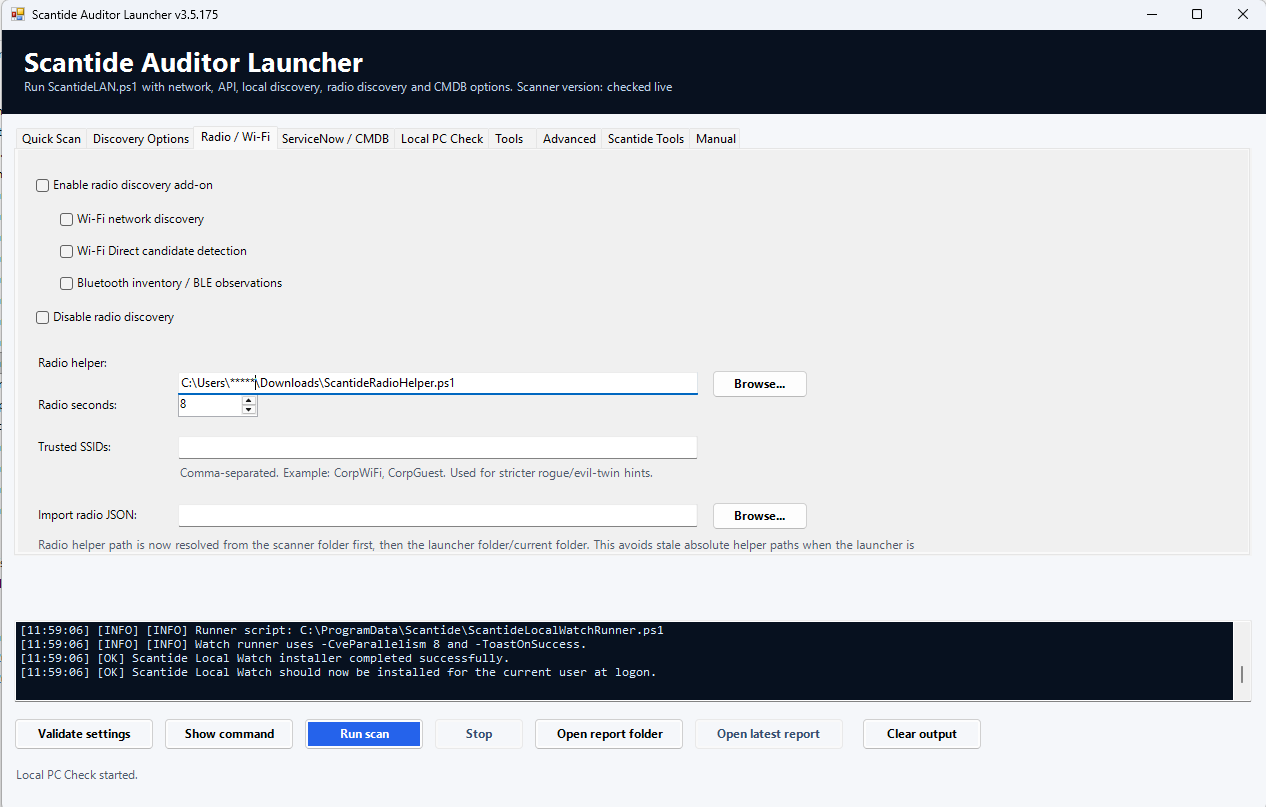
Radio / Wi-Fi

Optional local radio inventory for Wi-Fi, Wi-Fi Direct candidates and Bluetooth observations. Useful for local audits and rogue/evil-twin review.

  • Wi-Fi network discovery
  • Wi-Fi Direct candidate detection
  • Bluetooth inventory and BLE observations
  • Trusted SSID list for stricter findings

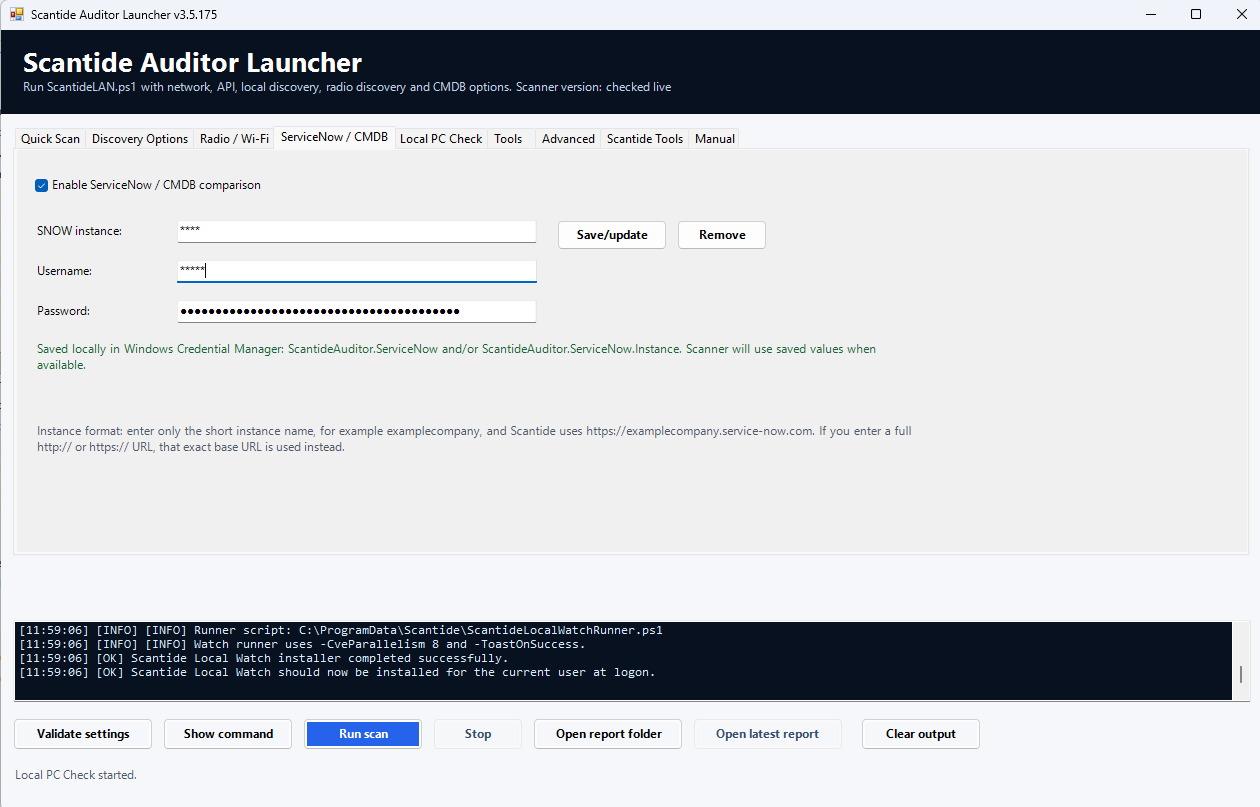
ServiceNow / CMDB

Optional read-only CMDB comparison. Scantide can compare discovered hosts with ServiceNow records to show what exists in CMDB and what does not.

  • Short ServiceNow instance name or full base URL
  • Credentials stored locally in Windows Credential Manager
  • Presence comparison by host, IP or DNS name
  • Good for audit and inventory drift checks

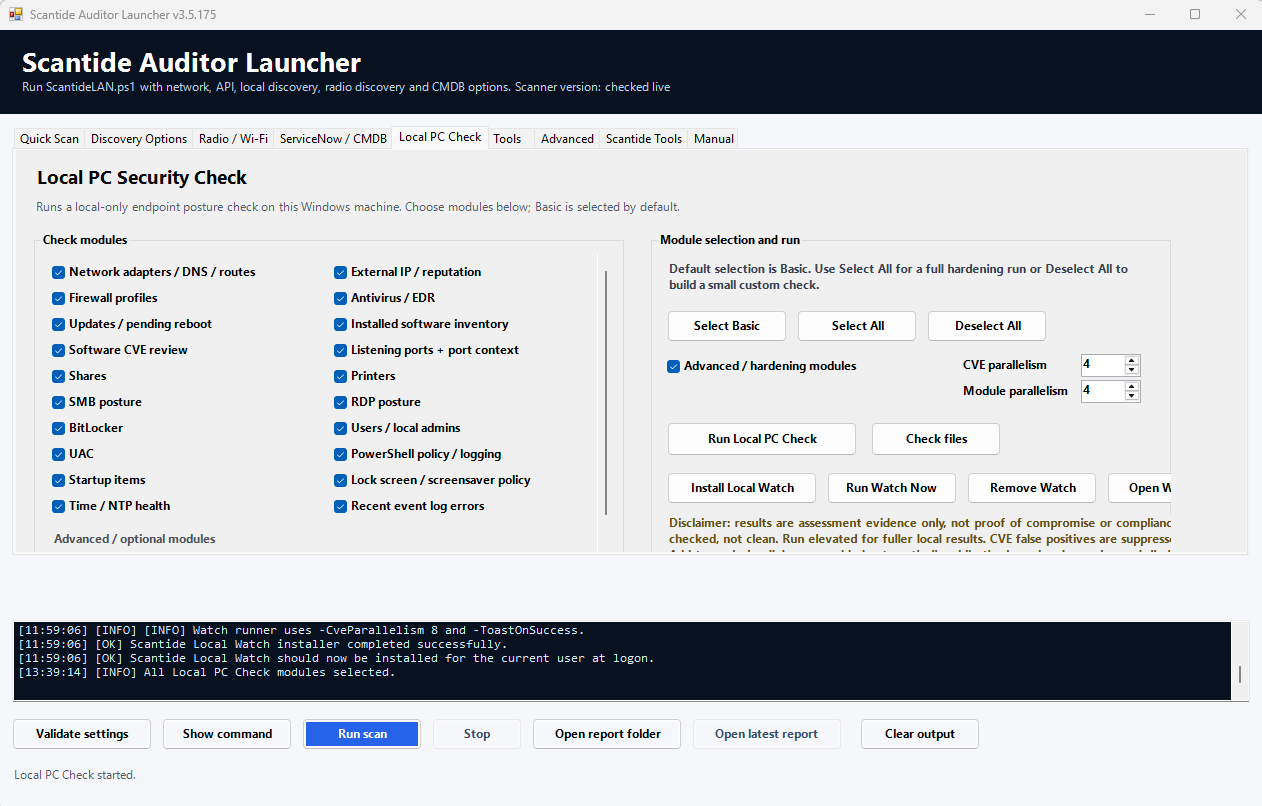
Local PC Check

A local-only endpoint posture check for the Windows computer running the launcher. It can run Basic, Advanced or selected modules and produce a local HTML report.

  • Firewall, AV/EDR, updates, software inventory and CVE review
  • Advanced hardening modules for local posture
  • Local Watch scheduling for installed-software CVE monitoring
  • Parallel CVE and module controls

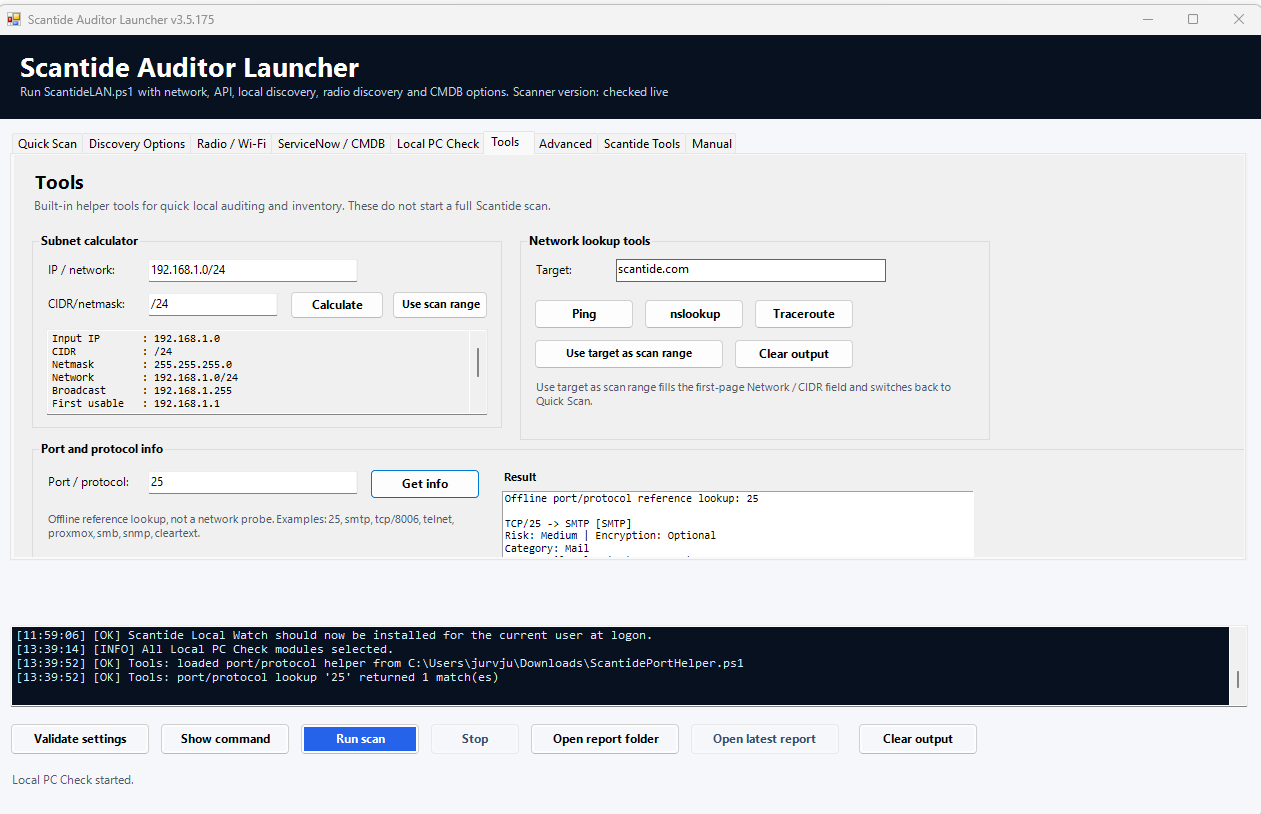
Tools

Quick helper tools that do not start a full scan. Use them for subnet calculations, simple lookup commands and offline port/protocol explanations.

  • Subnet calculator with Use scan range button
  • Ping, nslookup and traceroute helpers
  • Offline port/protocol reference lookup
  • Useful while preparing scan scope

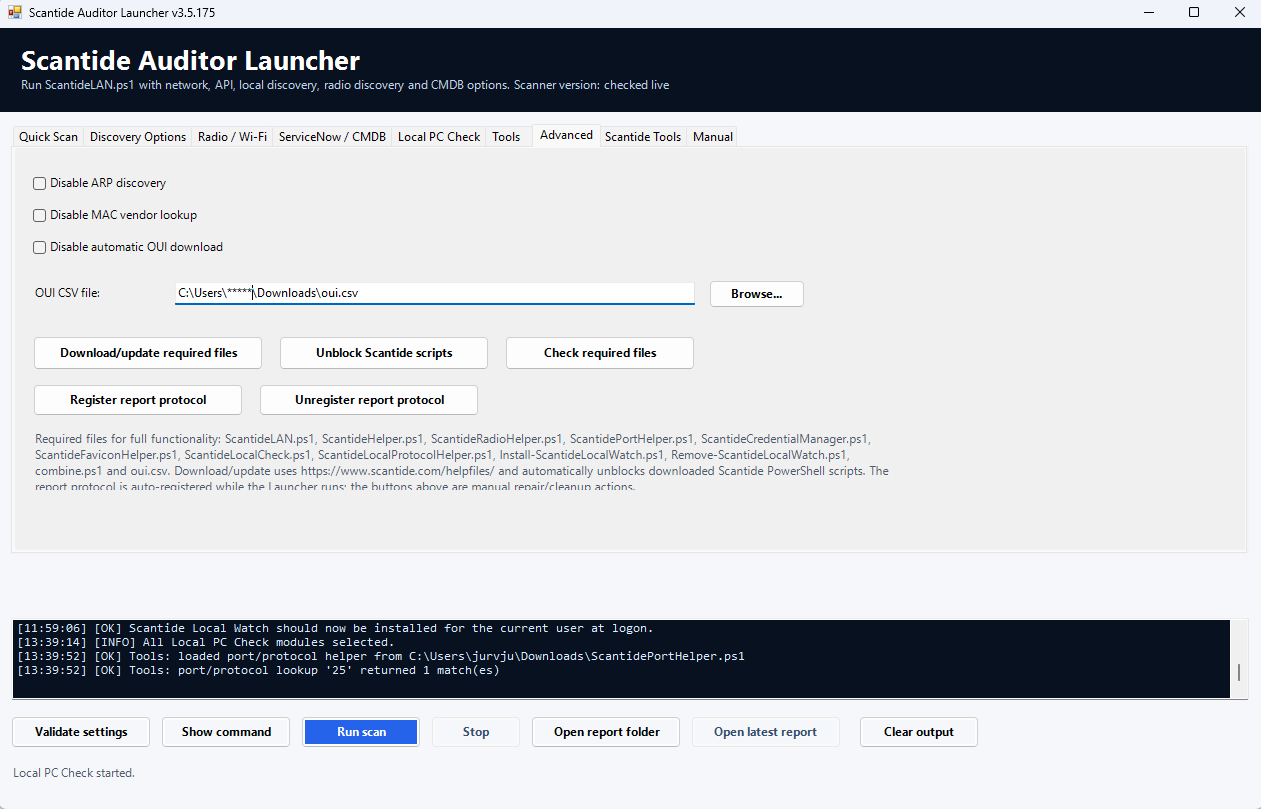
Advanced

Maintenance and troubleshooting controls for helper files, OUI lookup, script unblocking and the local report action protocol used by one-click CVE exclusions.

  • Download/update required files
  • Unblock Scantide scripts after download
  • Check required helper files
  • Register or unregister the local report protocol

Local PC Check and CVE review in the GUI

The Local PC Check tab is where endpoint posture and installed-software CVE review live. In the current release, CVE checks use dual-source lookup with Scantide CVE API and NOTCVE, source badges in the report, a 30-minute local cache, and exact Product|Version false-positive exclusions.

Publishing note: these screenshots show masked paths and credentials. Before publishing real reports, use Scantide anonymized reports or manually review for hostnames, usernames, private IPs, serial numbers, certificate subjects, Wi-Fi names and local paths.

Where to go next

Use this GUI page as a visual companion to the full manual. The manual explains parameters, helper files, report output, Watch mode, false-positive exclusions and troubleshooting.